
Audiovisual technology in 2026 is becoming smarter, more connected, more secure, and easier for employees to use. For Buffalo businesses, the most important AV trends include AI-powered meeting technology, improved hybrid collaboration, AV-over-IP infrastructure, intelligent digital signage, stronger cybersecurity, cloud-based system management, interoperable meeting platforms, and energy-conscious system design. These technologies are changing how companies hold meetings, communicate with employees, welcome visitors, train staff, and manage multiple locations. However, future-proofing does not mean installing every new technology available. Instead, businesses should invest in AV systems that solve real communication problems, integrate with existing IT infrastructure, and can grow without requiring a complete replacement every few years. That makes strategic planning just as important as choosing the displays, cameras, microphones, speakers, conferencing systems, and control technology used throughout a facility. Industry research for 2026 similarly highlights security, AV and IT convergence, AI, interoperability, and sustainability as important developments shaping professional audiovisual systems.
For organizations across Buffalo, Olean, and Western New York, Capstream Technologies helps translate these trends into practical business solutions rather than simply adding more devices to a workplace. The company designs and installs commercial AV systems for conference rooms, corporate environments, educational facilities, healthcare settings, digital display applications, hybrid workspaces, and other professional spaces. Businesses considering new Audio Visual & Digital Solutions in Buffalo, NY can benefit from looking beyond individual products and considering how audio, video, conferencing, networking, displays, controls, and user experience function as one connected system. Capstream Technologies is based in Olean and serves organizations across Western and Central New York, giving businesses access to AV planning, system design, installation, training, service, and ongoing support within the region.
Why AV Technology Is Becoming a Business Infrastructure Decision
AV technology was once treated as a collection of equipment placed in individual rooms. A conference room needed a display, a projector, perhaps a speakerphone, and several cables. That approach is becoming less effective because modern communication depends on integration. Displays connect to corporate networks. Conferencing systems communicate with cloud platforms. Cameras use intelligent processing. Digital signage receives content through centralized management platforms. Control systems connect multiple devices. As a result, the line between audiovisual technology and information technology continues to narrow. Businesses now need to consider network capacity, device security, software compatibility, remote management, user permissions, and long-term system support when planning AV upgrades. AVIXA identifies the convergence of AV, IT, and AI as a major 2026 industry development, reflecting how deeply modern audiovisual systems are becoming connected with wider business technology environments.
This shift matters because poorly planned AV can create operational friction instead of reducing it. Employees may struggle to connect laptops. Remote participants may not hear conversations clearly. Different conference rooms may require different instructions. Digital displays may depend on manual updates. IT departments may have limited visibility into AV devices connected to their networks. In contrast, well-planned AV solutions for Buffalo businesses can create consistent experiences across rooms and locations. Employees can walk into a meeting space and understand how it works. IT teams can manage devices more effectively. Leadership can communicate across locations. Visitors receive clearer information. Most importantly, companies gain infrastructure that can support changing communication needs instead of becoming outdated after the next software or workplace change.
1. AI-Powered Meeting Rooms Are Moving Into Everyday Business Use
Artificial intelligence is becoming one of the most practical AV developments for businesses in 2026. Rather than being limited to experimental technology, AI is now built into cameras, microphones, conferencing platforms, device monitoring tools, and workplace management systems. Intelligent cameras can recognize active speakers and adjust framing automatically. Microphone systems can improve voice pickup and reduce distracting background sound. Meeting platforms can support automated transcription, summaries, and other collaboration tools. Some intelligent AV devices can also provide room usage data that helps businesses understand how frequently different spaces are being used. Current industry analysis shows AI overtaking AV-over-IP as the technology AV providers expect to have the greatest business impact during 2026, although organizations are still learning how to turn these capabilities into practical operational value.
The strongest reason to adopt AI-powered AV is not novelty. It is consistency. A good meeting system should help people communicate without requiring one employee to become the room’s technical expert. Therefore, Buffalo companies should look for AI functions that remove repetitive adjustments and make meetings easier to start and manage.
Key AI-enabled capabilities businesses may consider include:
- Automatic camera framing: Keeps speakers visible without constant manual camera control.
- Speaker tracking: Helps remote participants follow conversations in larger meeting rooms.
- Intelligent audio processing: Reduces distracting sound and improves speech clarity.
- Automated meeting tools: Can support captions, transcription, notes, and searchable meeting content.
- System monitoring: Can help technical teams identify performance issues before they interrupt an important meeting.
AI should still support users rather than complicate the experience. Companies should evaluate privacy, security, platform compatibility, and actual employee needs before enabling every available function.
2. Hybrid Collaboration Is Shifting From Basic Video Calls to Equitable Meetings
Hybrid meetings are no longer unusual. The challenge in 2026 is improving the quality of the experience for everyone in the room and everyone joining remotely. A laptop placed at the end of a conference table cannot always capture voices, faces, shared content, and natural interaction effectively. Therefore, businesses are moving toward room systems designed specifically for hybrid collaboration. The goal is meeting equity, which means remote participants should be able to see speakers, hear discussions, view presentations, and participate without being treated as secondary attendees. Conferencing and collaboration remain one of the strongest growth areas in the commercial AV market in 2026, showing that organizations continue to invest in better ways to connect distributed teams.
For businesses in Buffalo, better hybrid collaboration can support organizations with employees, customers, vendors, consultants, and partners spread across Western New York or farther away. A well-designed room may combine multiple displays, professional microphones, room speakers, cameras, content-sharing systems, touch controls, and cloud conferencing. However, the equipment must work as one system. Clear audio is often more important than adding another screen, while camera position can strongly affect how natural a remote conversation feels. Companies exploring Audio Visual & Digital Solutions should therefore evaluate room size, seating configuration, acoustics, conferencing platforms, user behavior, and remote participation before selecting individual products.
3. Meeting Platform Interoperability Is Becoming a Priority
Businesses rarely communicate through only one conferencing platform. An organization may use Microsoft Teams internally while customers send Zoom invitations, partners rely on Google Meet, and vendors use another platform. This creates a common problem. A conference room that works perfectly with one ecosystem may become inconvenient when an external meeting invitation arrives. For that reason, meeting interoperability is becoming an important part of AV planning. AVIXA lists interoperability among the defining trends for video conferencing in 2026 because users increasingly expect meetings to start easily regardless of the service or endpoint involved.
Businesses planning AV upgrades should examine how frequently they join outside meetings and how easily their rooms handle those invitations. They should also consider whether employees must connect personal laptops, whether guests need wireless presentation access, and whether multiple conferencing platforms need to operate within the same spaces.
A practical interoperability review should examine:
- The company’s primary meeting platform.
- Other platforms frequently used by clients and partners.
- Guest laptop and bring-your-own-device requirements.
- Wireless presentation needs.
- Camera, microphone, and speaker compatibility.
- Authentication and security policies.
- Whether room controls remain consistent between platforms.
The best system is not necessarily the one with the largest number of features. Instead, it is the system employees can use successfully under real working conditions.
4. AV-over-IP Is Creating More Flexible and Scalable Environments
Traditional AV systems often rely on dedicated point-to-point connections between sources and displays. AV-over-IP changes that model by allowing audiovisual signals to travel across network infrastructure. This can make it easier to route content between different destinations, add endpoints, manage larger environments, and create flexible systems that can adapt as a facility changes. AV-over-IP is particularly relevant for businesses with multiple meeting rooms, training facilities, command spaces, large digital display networks, educational environments, or buildings where media must be distributed to many locations.
The advantage is scalability, but network planning is essential. Businesses cannot assume that existing network infrastructure can automatically support every AV requirement. Bandwidth, switching equipment, compression, latency, security, multicast configuration, redundancy, and system management all need to be considered. This is another reason AV and IT teams increasingly need to work together. A networked AV environment should be designed as part of the business technology ecosystem rather than treated as an isolated installation.
| Traditional AV Approach | AV-over-IP Approach |
| Signals often follow dedicated physical paths | Media can travel across compatible network infrastructure |
| Expansion may require additional dedicated cabling and hardware | New endpoints can often be added more flexibly |
| Routing can be limited by physical system design | Content can be distributed dynamically between destinations |
| Individual systems may operate separately | Multiple rooms and displays can become part of a connected environment |
| Changes may require significant hardware adjustments | Properly designed systems can support easier expansion and reconfiguration |
For Buffalo organizations planning renovations, new construction, or facility-wide modernization, AV-over-IP deserves consideration when flexibility and future expansion are important. However, it should be selected because it fits the project’s technical and operational requirements, not simply because it is newer technology.
5. Digital Signage Is Becoming a Real-Time Communication Platform
Digital signage is moving beyond static advertising screens. Businesses now use networked displays for internal communication, customer information, wayfinding, safety notices, schedules, performance dashboards, menu information, promotions, event messaging, welcome screens, and emergency communication. Digital signage is also one of the commercial AV segments showing continued modernization and growth in 2026. This creates an opportunity for Buffalo businesses to turn screens into useful communication tools rather than decorative technology.
The real value comes from centralized content control. Instead of updating printed posters or manually changing information on separate displays, authorized employees can manage content through a digital platform. Different messages can appear on different screens, at different times, or in different areas of a facility. Companies should still develop clear content standards because installing screens without a communication strategy can quickly lead to outdated or ignored content.
Digital signage can be particularly useful for:
- Corporate offices: Company announcements, dashboards, schedules, visitor information, and internal messages.
- Healthcare environments: Navigation, educational information, scheduling, and service messaging.
- Educational facilities: Campus announcements, room information, event promotion, and emergency notices.
- Hospitality and entertainment venues: Directions, schedules, promotional information, menus, and event content.
- Retail and customer-facing businesses: Promotions, product information, branding, and customer guidance.
Capstream Technologies lists multi-screen informational displays and digital signage among its commercial AV capabilities, making this an area Buffalo organizations can incorporate into broader AV modernization plans.
6. Cybersecurity Is Now Part of AV System Design
One of the most important AV trends of 2026 is also one of the least visible to ordinary users. Displays, conferencing devices, controllers, cameras, microphones, streaming systems, signage players, and other connected devices increasingly communicate through corporate networks or cloud services. Each connected endpoint must therefore be treated as part of the wider security environment. AVIXA identifies enhanced security as a leading 2026 trend because connected audiovisual systems can expand an organization’s technology attack surface when security is treated as an afterthought.
Security planning should begin before equipment is installed. IT and AV professionals should understand which devices connect to the network, what services they communicate with, how they receive updates, what permissions they require, and how administrators access them. Organizations should also establish responsibility for firmware updates and long-term device management. A system can work perfectly on installation day and still become a security or reliability concern if nobody maintains its software several years later.
Important AV security questions include:
- How are AV devices authenticated on the network?
- Who has administrator access to control systems and cloud platforms?
- How are passwords and credentials managed?
- How often are firmware and security updates reviewed?
- Are AV devices appropriately segmented from sensitive systems?
- What data do cameras, microphones, sensors, or meeting platforms collect?
- What happens when a product reaches the end of manufacturer support?
Addressing these questions early helps businesses build reliable AV solutions for Buffalo businesses without creating unnecessary technology risk.
7. Cloud Management and Remote Monitoring Are Changing AV Support
As businesses add more connected meeting rooms and digital systems, manually checking each room becomes less practical. Cloud-connected management platforms can give IT and support teams greater visibility into device health, room status, software versions, and system performance. This allows technical teams to identify problems without physically visiting every room. In some environments, remote monitoring may also help organizations notice recurring issues, such as a disconnected device or system component that repeatedly fails before meetings.
This trend is particularly useful for organizations with several facilities or offices spread throughout Western New York. Centralized visibility can make support more efficient because technicians have more information before troubleshooting begins. However, companies should assess cloud management carefully. They need to understand data handling, user permissions, cybersecurity, licensing, platform longevity, and integration with their existing IT management practices. Remote monitoring should simplify support rather than create another disconnected dashboard employees must maintain.
8. Wireless Presentation Is Becoming an Expected Workplace Feature
Employees increasingly expect to walk into a meeting room and share content without searching for the correct cable, adapter, or input. Wireless presentation systems address this issue by allowing compatible laptops, tablets, or other devices to send content to displays without relying entirely on physical connections. When designed correctly, wireless presentation can shorten meeting setup time and make spaces easier for employees and guests to use. Capstream Technologies includes wireless presentation and collaboration technology among the audiovisual services it provides to Buffalo-area organizations.
However, convenience must be balanced with security and reliability. Companies should determine whether employees, guests, or both need wireless access. They should consider whether users need to install software, how guest access works, what network configuration is required, and how sharing permissions are controlled. Physical connectivity may still be useful as a backup. Therefore, the strongest meeting rooms often provide flexible connection choices while maintaining a consistent experience for users.
9. Sustainable AV Design Is Influencing Long-Term Technology Decisions
Sustainability is becoming more important across commercial technology projects. AVIXA identifies sustainability as one of the industry’s major priorities for 2026. For businesses, sustainable AV does not simply mean buying products that consume less power. It can also mean designing systems that remain useful longer, selecting scalable infrastructure, using intelligent power management, avoiding unnecessary equipment, maintaining products instead of replacing them prematurely, and choosing system designs that can adapt when business requirements change.
Future-proofing and sustainability often support each other. For example, a company that installs flexible cabling and network infrastructure may be able to upgrade selected endpoints later rather than replacing the entire AV environment. Standardized room designs can reduce equipment complexity. Automated shutdown schedules may reduce unnecessary energy use outside business hours. Remote monitoring may help companies identify equipment problems earlier. Therefore, businesses planning AV solutions for Buffalo businesses should evaluate the total life of the system, not only its purchase price. The cheapest initial installation may become expensive if equipment cannot be expanded, repaired, managed, or integrated with future platforms.
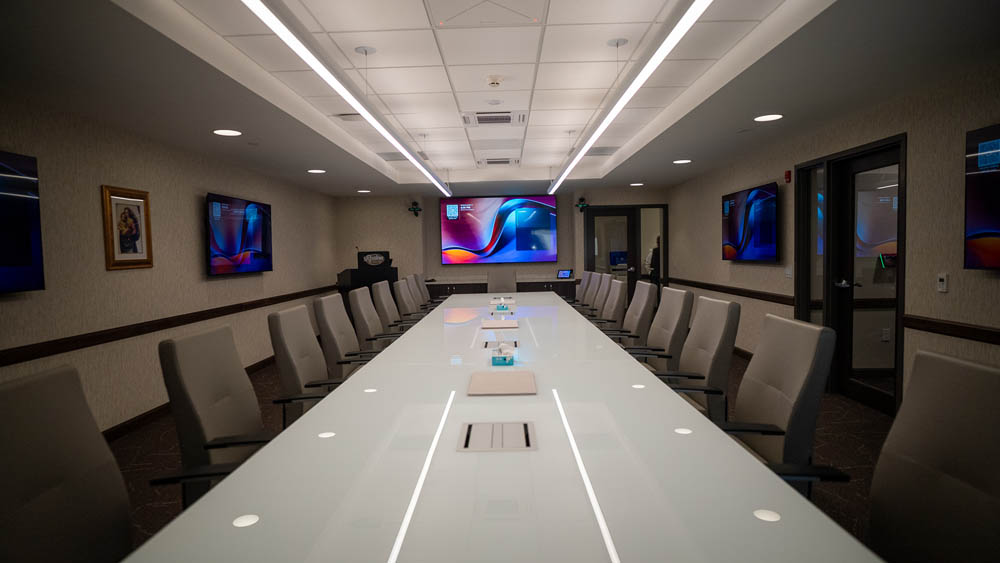
10. How to Future-Proof Your Business AV System Step by Step
Future-proofing does not require predicting exactly what audiovisual technology will look like five or ten years from now. That is impossible. Instead, businesses should build enough flexibility into their systems so they can respond when technology, staffing patterns, software, and communication needs change. The process begins with understanding how employees currently work. Companies should identify recurring problems, examine how frequently rooms are used, review remote collaboration needs, assess IT infrastructure, and determine where AV creates unnecessary friction. From there, the organization can define priorities before selecting equipment.
A practical planning process includes:
- Assess current spaces and systems. Identify technology that works, equipment that creates problems, and areas where users depend on workarounds.
- Define business outcomes. Determine whether the goal is stronger collaboration, improved training, clearer presentations, better visitor communication, or another measurable need.
- Involve AV and IT stakeholders. Network requirements, cybersecurity, cloud services, and device management should be considered early.
- Standardize common spaces. Similar controls and workflows can reduce training requirements across conference rooms.
- Plan for expansion. Evaluate networking, cabling, software, display infrastructure, and system architecture with future additions in mind.
- Train employees. A powerful system provides limited value when employees do not understand how to use it.
- Create a maintenance plan. Firmware updates, service, troubleshooting, and equipment replacement should be planned as part of ownership.
This approach helps businesses invest in technology based on operations rather than trends alone.
11. Where Buffalo Businesses Can Apply These AV Trends
Different companies will benefit from different combinations of these technologies. A professional services firm may focus heavily on conference room consistency and hybrid meetings. A manufacturer may need digital signage, training systems, facility communication, and presentation spaces. A healthcare organization may require secure video collaboration, digital information displays, training rooms, and clear audiovisual communication. Educational institutions may prioritize lecture capture, instructional technology, streaming, and interactive presentation systems. Entertainment venues may require large-scale displays, professional sound, streaming, control systems, and multi-screen content distribution.
Capstream Technologies works across corporate, educational, healthcare, government, hospitality, and entertainment settings, so AV planning can be adapted to the environment rather than based on a one-size-fits-all package. This is especially important because the same device may perform very differently depending on room size, ambient light, acoustics, network conditions, seating configuration, and user expectations.
| Business Need | AV Technology to Consider | Potential Business Value |
| Hybrid meetings | Professional cameras, microphones, speakers, conferencing systems | More natural communication with remote participants |
| Employee communication | Digital signage and multi-screen displays | Faster distribution of timely information |
| Flexible presentations | Wireless presentation technology | Less setup time and fewer connection problems |
| Multi-room media distribution | AV-over-IP infrastructure | Greater scalability and routing flexibility |
| Easier meetings | AI-enabled cameras and audio | Reduced need for manual adjustments |
| Multiple locations | Cloud management and remote monitoring | Better visibility into system health |
| Customer-facing spaces | Digital signage and professional displays | Stronger presentation of information and branding |
| Long-term modernization | Scalable infrastructure and standardized controls | Easier upgrades and more predictable user experiences |
The right combination depends on how people use the facility. Therefore, businesses should begin with their workflows and communication goals rather than beginning with a product list.
12. When Is the Right Time to Upgrade Business AV Technology?
A business does not necessarily need to replace an AV system because a newer product exists. However, repeated operational problems can signal that the existing environment is no longer supporting employees effectively. Frequent meeting delays, poor audio, unreliable wireless connections, incompatible conferencing platforms, low-quality video, aging projectors, inconsistent controls, unsupported hardware, and difficulty obtaining replacement parts are all reasons to evaluate an upgrade. Companies should also review AV during office renovations, expansions, network modernization projects, new construction, or changes in workplace strategy because those events create opportunities to coordinate infrastructure rather than adding systems later.
Planning before equipment fails can also create better decisions. Emergency replacements often focus on restoring basic functionality as quickly as possible. A planned upgrade gives businesses time to assess room usage, infrastructure, interoperability, security, budget, and future expansion. It also allows IT, facilities, leadership, and employees to contribute requirements before the design is finalized. As a result, organizations can develop AV solutions for Buffalo businesses that support long-term operations instead of repeatedly fixing isolated problems.
Choosing AV Technology for Long-Term Business Value
The best AV investment is not necessarily the system with the newest specifications. Long-term value depends on whether technology improves communication, reduces meeting friction, supports employees, integrates with existing systems, and remains manageable as the organization grows. Before approving an AV project, decision-makers should ask how the proposed system will be supported, whether components can be upgraded independently, what platforms it supports, how employees will be trained, and whether the infrastructure can accommodate new devices later. Businesses should also consider service availability because even reliable equipment may eventually require troubleshooting, configuration changes, updates, or replacement components.
This decision framework is especially useful when companies have several rooms or locations. Standardizing core technologies can make support easier and create more familiar experiences for employees. However, standardization should not mean forcing identical equipment into every space. A small huddle room has different requirements from a training center, executive boardroom, auditorium, or customer-facing lobby. A thoughtful design creates consistency where it helps while adjusting equipment to each environment.
Future-Proof Your Buffalo Business With Smarter AV Solutions
The leading AV trends of 2026 point toward one clear direction: audiovisual technology is becoming an integrated part of business infrastructure. AI is making meetings more intelligent. Hybrid collaboration is demanding better room experiences. AV-over-IP is providing new options for scalable media distribution. Digital signage is becoming a real-time communication platform. Cloud management is improving system visibility. Interoperability is reducing conferencing barriers. Meanwhile, cybersecurity and sustainability are becoming essential parts of AV planning rather than optional considerations. Buffalo businesses do not need to adopt every trend immediately. Instead, they should determine which technologies address real communication, collaboration, and operational needs while creating room for future growth.
Capstream Technologies can help organizations in Buffalo, Olean, and throughout Western New York evaluate existing spaces, identify technology gaps, design integrated systems, complete professional installations, and support AV environments after deployment. Its capabilities include conferencing and collaboration technology, digital signage, multi-screen informational displays, video streaming, wireless presentation systems, cloud videoconferencing, corporate presentation systems, and other commercial Audio Visual & Digital Solutions. A carefully planned system can reduce technical friction today while giving your organization a stronger foundation for the communication demands of tomorrow. Talk with Capstream Technologies to explore a customized AV solution designed around your space, team, technology infrastructure, and long-term business goals.

Howard Martin, Jr. is an Owner/Partner at Capstream Technologies with more than 20 years of experience in IT, finance, and business strategy. He oversees finance, accounting, customer support, and business development while helping organizations identify practical technology solutions that support real operational needs.